Up and Down to move, Enter to open. Searches every page, tip, table and command.
Rank access, the officer tools, and the leaderboards that thank the guild's most helpful members.
Guild tab > Access & ranks (or /wc access) lists your guild's real rank names, custom ones included, with Can use and Officer tools checkboxes. Saving writes one line into the Guild Info text. Every member's add-on reads that same line, so every client enforces the same rule:
Try it: tick ranks on the right and watch the line the add-on would write.
Warchest: officers=0,1 alts=1Rank 0 (Guild Master) is always included and always an officer. Private mode whispers guild data only to included members instead of using the guild channel.
| Officer tool | Where | What it does |
|---|---|---|
| Guild needs | Needs tab > New need | Item, amount, due date, note, who to deliver to. Members see a progress bar counting everything held across the guild, and I can help fills in a mail to the collector. Announce posts it in guild chat. |
| Stock alerts | Needs tab > Stock alert | Get alerted when guild bank characters hold less than a minimum. |
| Raid prep checklist | Raid tab > Edit checklist | Raid, start time, minimum level, items per raider. Follows the guild calendar on its own. |
| Loot notes | Gear tab > item > Loot note | "Reserved for tanks" on everyone's tooltip for that item. |
| Guild bank characters | Guild tab > Bank char | Labels them for everyone and turns on their deposit and withdrawal history (History tab). |
| Bank approvals | Access & ranks (optional) | Requests to bank characters wait in the Requests tab until an officer approves or declines. |
| Guild health | Guild > Health | Add-on adoption, members inactive 14+ days, who can craft each raid item, profession gaps, cooldowns. |
| Purge and links | Guild tab, /wc link | Remove a leaver's data guild-wide; fix an alt link. |
| Export CSV | Guild tab > Export CSV | Guild totals, holdings, my items, sign-ups, loot, inactive members, attendance and helpers, ready for a spreadsheet. |
Board entries carry their own version, so two officers editing different things never clash. Members only accept board data sent by an officer.
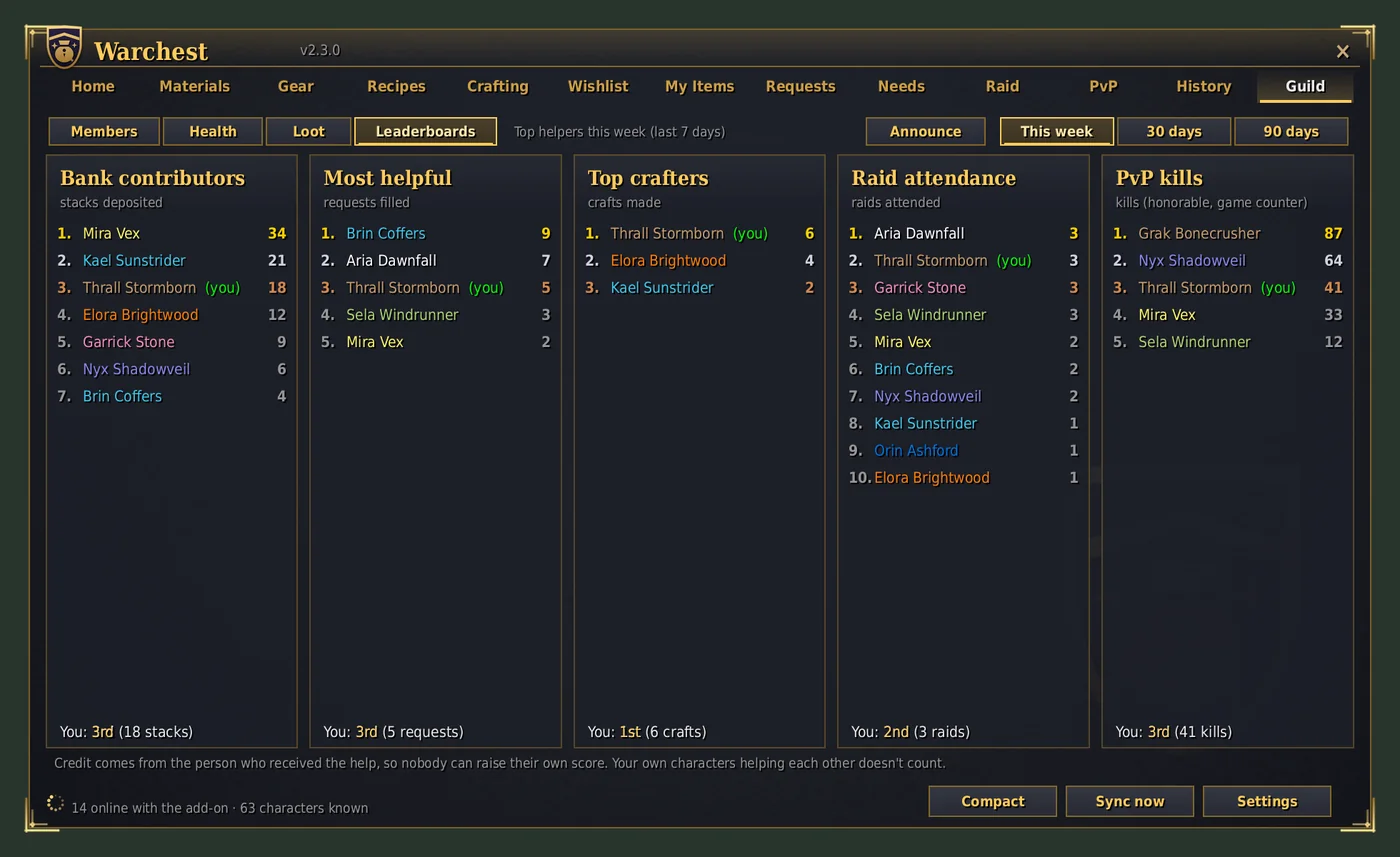
Credit always comes from the person who received the help, never from the helper:
Your own characters helping each other doesn't count, and one person's credit to another is capped per day.
Once your Getting started card is complete, its place on Home goes to Guild heroes: this week's top helper on each board, and your own best placement.
Officers' Announce posts one line in guild chat:
Settings > Notifications & look: untick Show me on the guild leaderboards. It applies to all your characters.
